
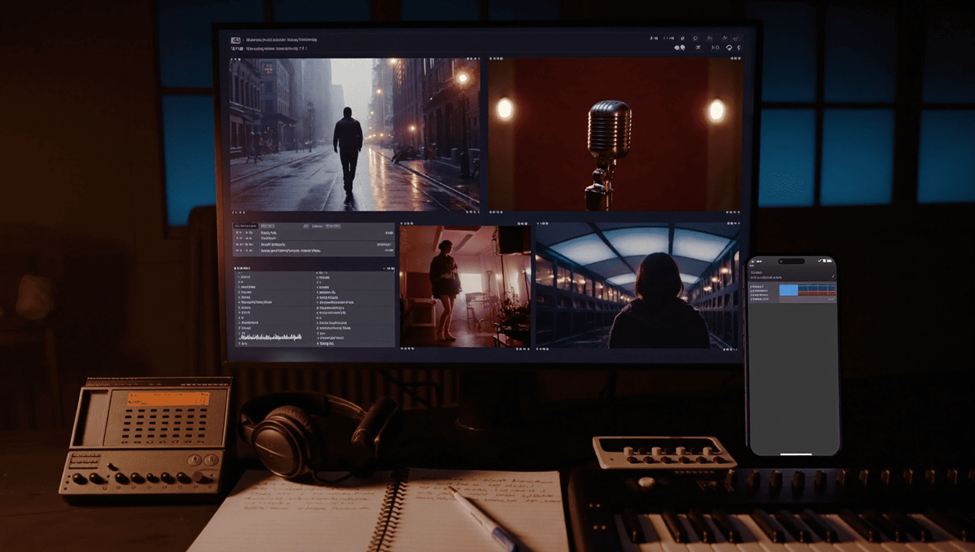
Releasing a track is only half of the job. The other half is getting people to press play. For most independent artists, that means short videos that tease the song, show a mood and point listeners to the full release.
Making those videos is where many artists get stuck. Filming takes time, locations cost money and editing eats evenings that should go to writing music. Seedance 2.0 is a video model available on Higgsfield that tries to shorten that path. Higgsfield AI is a native AI creative suite, which offers advanced AI image, video, and voice generation, editing, and upscaling tools. This guide explains how an independent artist can plan, prompt and publish a teaser, and where the limits are.
Why Do Independent Artists Need Teaser Videos?
A song is invisible until someone hears it. A short video gives people a reason to stop scrolling and listen. It also gives your release a face, a colour and a feeling before the first note plays.
Teasers help in several ways. They announce a date, they test which idea resonates and they give friends and fans something easy to share. A good teaser also gives playlist curators and bloggers a quick sense of your style.
The problem is capacity. Most independent artists are also the producer, the manager and the social media team. Any tool that saves production time leaves more room for the music itself.
What Is Seedance 2.0 on Higgsfield?
Seedance 2.0 is one of the video models offered on Higgsfield. According to the live model page, it is built for multi shot video with sound. You describe what you want, supply reference material if you have it, and the model generates clips.
The page lists these capabilities that matter for music promotion:
- Native audio. The model can generate sound along with the picture.
- Native 4K. Output is listed at 4K, which suits large screens and sharp crops for vertical posts.
- 15 seconds per shot. Each shot can run up to 15 seconds, which is enough for a teaser moment.
- Multi shot video. You can build a sequence with consistent characters across shots.
- Up to 12 reference assets. The page lists up to 9 images, 3 videos and 3 audio files.
- Locked faces and style. You can keep a look steady from shot to shot.
- Camera controls. You can direct how the camera moves.
- One Click Video Recreation. You can recreate a video you like from an existing one.
The page says Seedance 2.0 is included in all Higgsfield plans and mentions free generations. It does not state limits, so check current terms before planning a big campaign.
What Do These Features Mean for a Music Teaser?
Features only matter if they solve a problem you have. Here is how each one maps to an artist’s needs.
Multi shot with consistent characters helps if your teaser has a character, such as a stylised version of you or an invented figure. Without consistency, a character can look different in every cut. With it, the teaser feels like one story.
Locked style keeps the colour palette and mood steady. That matters because your teaser should match your cover art and your other posts. A steady look builds recognition.
Camera controls let you ask for a slow push in, a drift past a window or a wide establishing shot. Music videos live on camera movement, so this is a useful lever.
Reference assets let you bring your own cover art, photos or footage into Higgsfield. Starting from your own material keeps the result close to your identity.
Native audio can add atmosphere, such as ambient sound. For the actual song, you will usually add your finished master in an editor, so the track sounds exactly as you mixed it.
What Should You Prepare Before You Start?
Preparation saves attempts. Gather these items first.
Your finished or near finished track. Know which 15 to 30 seconds you want to tease. Choose the hook or the most striking moment.
Your cover art. Use it as a reference so the teaser matches your release.
A mood description. Write three or four words, such as “late night, neon, lonely”.
A platform plan. Decide whether the clip is vertical for short video apps or wide for a channel.
Your rights. Use only music, images and likenesses you own or have permission to use. This keeps your release clean.
How Do You Plan a Teaser Step by Step?
A simple structure works for most releases.
- Pick the hook. Choose the section of the song that makes people lean in.
- Write the story in three beats. For example: a quiet opening, a build and a release that lands on the hook.
- Break it into shots. Three or four shots of five to ten seconds each is plenty.
- Write one prompt per shot. Describe subject, setting, light and camera.
- Generate and compare. Create a few versions of each shot in Higgsfield and keep the best.
- Assemble in an editor. Cut the shots from Higgsfield together and add your master audio.
- Add text. Put the title, the date and the call to action in your editor so every letter is correct.
- Review on a phone. Check how it looks at the size most people will see it.
How Do You Write a Prompt for a Music Teaser?
Prompts work best when they are specific and visual. Include who or what is in frame, where it is, how it is lit and what the camera does.
Here is an illustration of the style, not a guaranteed result: “A singer in a dark jacket stands on an empty rooftop at night, city lights blurred behind, slow push in on the face, cool blue light with a warm orange edge, calm and moody.”
A few tips:
- Keep one idea per shot. Do not pack three scenes into one prompt.
- Name the light. Light sets mood faster than any other word.
- Direct the camera. Say push in, pan left or hold steady.
- Reuse your style words. Copy the same palette and mood phrase into every prompt.
- Avoid copying known work. Do not ask for the look of a specific artist’s video or a famous film.
How Do You Keep Your Look Consistent Across Shots?
Consistency separates a teaser from a random collection of clips. Use the tools the page describes.
Use reference images. Feed in your cover art or a portrait that defines the look.
Use the locking features. The Higgsfield page lists locked faces and style for steadier results from shot to shot.
Repeat your style phrase. The same words in every prompt give the model the same direction.
Limit the number of characters. One or two characters are easier to keep steady than a crowd.
Check every cut. Watch each transition and replace any shot where the character drifts.
What Teaser Ideas Work for Different Genres?
Different music calls for different pictures. These are starting points.
Lo fi and chill. A quiet room, rain on a window, a slow camera drift and soft light.
Electronic. Abstract light, repeating shapes and fast cuts that follow the beat.
Hip hop. Street scenes at night, confident framing and bold colour.
Indie and folk. Natural settings, golden light and slow, steady movement.
Pop. Bright colour, a clear character and a strong visual hook.
Ambient. Landscapes, slow motion and long shots with plenty of space.
Pick the idea that fits your sound, not the one that looks most impressive. A simple, consistent teaser beats a complicated one.
How Can You Reuse One Teaser Across Platforms?
One shoot can feed many posts. Export your teaser in a vertical format for short video apps and a wide format for channels and your website. If you edit in Higgsfield or another editor, keep the original file so you can recut later.
Make a very short version of five to eight seconds for stories, and a longer one of about 20 seconds for feeds. Add the same title card and date to each. Over a release week, post a different cut each day so fans see something new while the message stays the same.
How Do Teasers Fit Into Earning From Your Music?
Promotion only matters if listeners can turn into income or support. Before you spend time and money on videos, understand how the platform you release on pays artists. This site’s guide on whether SoundCloud pays artists is a good place to start.
Then connect the dots. A teaser should lead to one clear action: play the track, follow your profile or join your mailing list. Measure which teaser gets the most plays and learn from it for the next release.
How Do You Publish and Measure a Teaser?
Publishing is a routine, not a single post.
Post the teaser early. Share it a few days before release to build anticipation.
Post cuts of different lengths. Try a 10 second and a 20 second version.
Use clear captions. Include the title, the release date and one line about the song.
Reply to comments. Early conversation helps the post travel.
Track the basics. Watch views, completion and link clicks.
Keep notes. Record what you tried so the next release starts from experience.
What Rights and Ethics Questions Should You Settle?
Generated video raises real questions. Settle them before you post.
Likeness. Do not generate videos of real people without their consent. That includes other artists, celebrities and your own collaborators.
Copyright. Do not recreate protected characters, logos or someone else’s artwork. Make your own style.
Audio. Only use music and samples you have the right to use.
Honesty. If a scene is generated, do not present it as a real event or a real place you visited.
Platform rules. Social platforms have policies on AI content and disclosure. Read them, because they change.
What Mistakes Should Artists Avoid?
Trying to do too much. One strong idea beats five weak ones.
Starting without a hook. Know which moment of the song you are teasing.
Ignoring the first second. The opening frame decides whether people keep watching.
Typing text inside the generator. Add titles and dates in your editor and proofread them.
Skipping the phone test. Many fans will watch on a small screen.
Posting once. A release needs several posts across several days.
What Are the Limits to Keep in Mind?
No video model replaces a real performance. Fans connect with real faces, real voices and real stories, so mix generated scenes with live clips where you can.
Results also vary. You may need several attempts to get a shot you like. Small details such as hands, instruments and fine text can go wrong, so review every second.
The model page does not state pricing or limits, so confirm the current terms with Higgsfield before you plan a large series. Treat the tool as a way to save production time, not as a substitute for the music.
Is Seedance 2.0 Worth Trying for Your Next Release?
If you have a track ready and no budget for a shoot, it is worth a try. Start small. Plan one teaser of three shots, generate a few versions of each and assemble the best in an editor.
Post it, measure the response and decide whether to make more. If the teaser earns more plays than your usual posts, you have a repeatable method. If not, you lost an afternoon and learned what your audience prefers.
Frequently Asked Questions
What is Seedance 2.0? A video model available on Higgsfield that generates multi shot video with native audio, according to its model page.
How long can a shot be? The page lists up to 15 seconds per shot.
Can I use my own cover art and photos? Yes. The page lists up to 9 images, 3 videos and 3 audio files as reference assets.
Does it keep a character consistent? The page lists multi shot video with consistent characters and locked faces and style. Always check each cut yourself.
Is it free? The page says it is included in all plans and mentions free generations. Limits are not stated, so check current terms.
Should I let it make my song? No. Use your own finished track and treat the tool as a way to create visuals.